Eager to master hybrid server management? Discover how to administer Windows Server Hybrid Core Infrastructure on Azure, setting your path towards the Microsoft Certified: Azure Hybrid Infrastructure Administrator Associate certification!
Prepare and test your skills

Prepare and test your skills
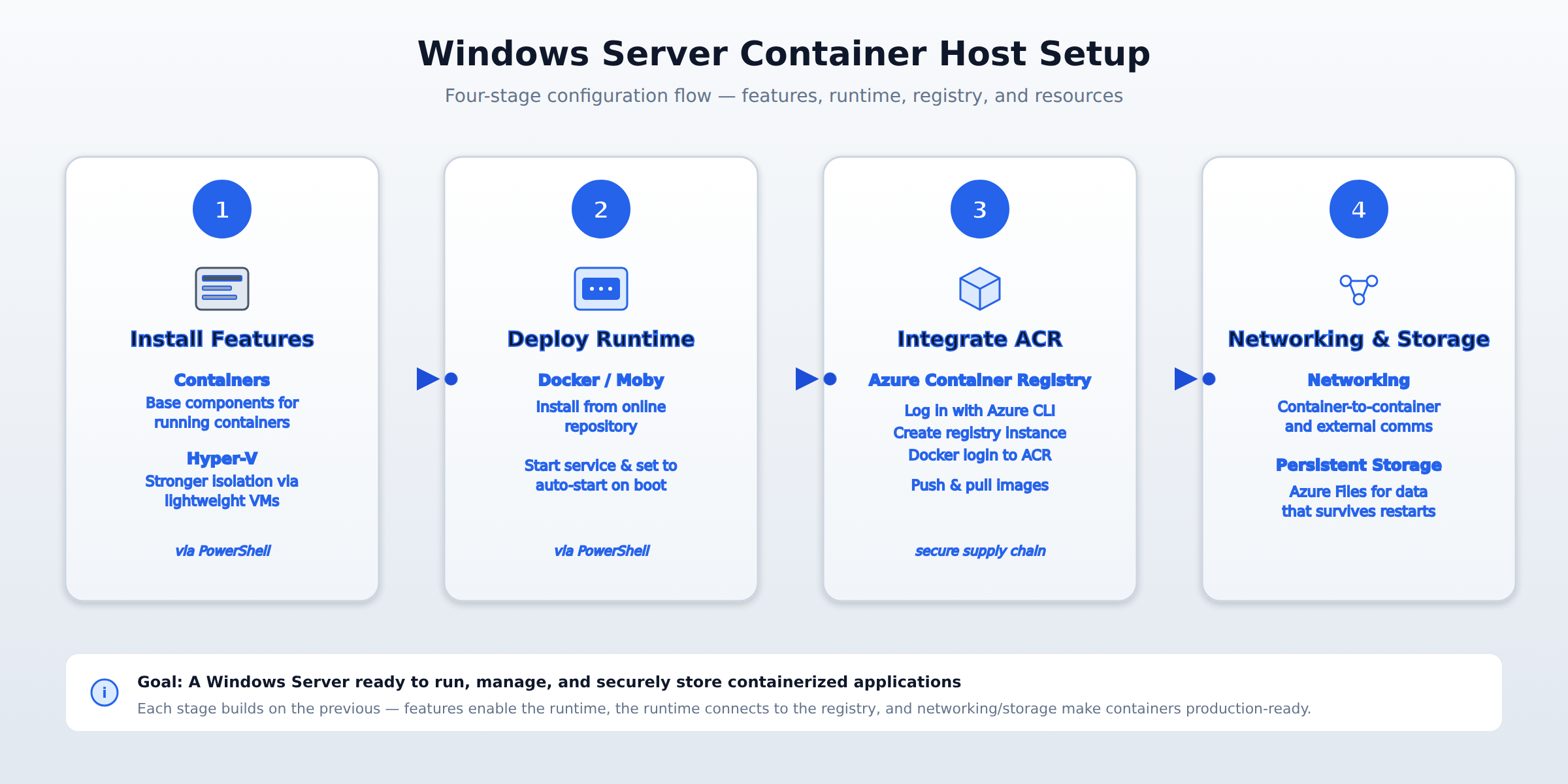
A four-step horizontal process flow showing how to prepare a Windows Server as a container host: install Containers and Hyper-V features, deploy and start the Docker runtime, integrate with Azure Container Registry, and configure networking and persistent storage.
You must install the Containers feature using PowerShell, which provides the base components needed to run containers. If you need stronger isolation between containers, you can also install the Hyper-V feature to enable Hyper-V Containers, which run each container inside a lightweight virtual machine.
A container runtime is the software that actually runs the containers. On Windows Server, this is typically Docker or Moby, which you install using PowerShell commands that fetch it from an online repository. After installation, you must start the Docker service and configure it to start automatically when the server boots to ensure the container host is always ready.
You use the Azure CLI to first log into your Azure account, then create an ACR instance in your Azure subscription. Once the registry exists, you log your local Docker service into it, which provides the credentials Docker needs to securely push images to the registry or pull images from it, keeping your software supply chain protected.
Networking configuration ensures containers can communicate with each other and with services outside the host. For applications that need to save data permanently, you must set up persistent storage solutions like Azure Files so data isn't lost when a container stops or is replaced.
To use Windows Server as a host for containers, you must first install the necessary Windows features. This is done using PowerShell. The Containers feature provides the base components needed to run containers. If you need stronger isolation between containers, you can also install the Hyper-V feature to enable Hyper-V Containers, which run each container inside a lightweight virtual machine.
A container runtime is the software that actually runs the containers. On Windows Server, this is typically Docker or Moby. You install the runtime using PowerShell commands that fetch it from an online repository. After installation, you must start the Docker service and configure it to start automatically when the server boots. This ensures the container host is always ready.
To securely store and retrieve your container images, you integrate with Azure Container Registry (ACR). This process involves using the Azure CLI to first log into your Azure account, then creating an ACR instance in your Azure subscription. Once the registry exists, you log your local Docker service into it. This login step provides the credentials Docker needs to securely push images to the registry or pull images from it, keeping your software supply chain protected.
For containers to function properly, you must consider how they connect to networks and store data. Networking configuration ensures containers can communicate with each other and with services outside the host. For applications that need to save data permanently, you must set up persistent storage solutions, like Azure Files, so data isn't lost when a container stops or is replaced.
 StudyCerts
 StudyCerts