Diagram
Enabling Enhanced Session Mode in Hyper-V
Process Flow
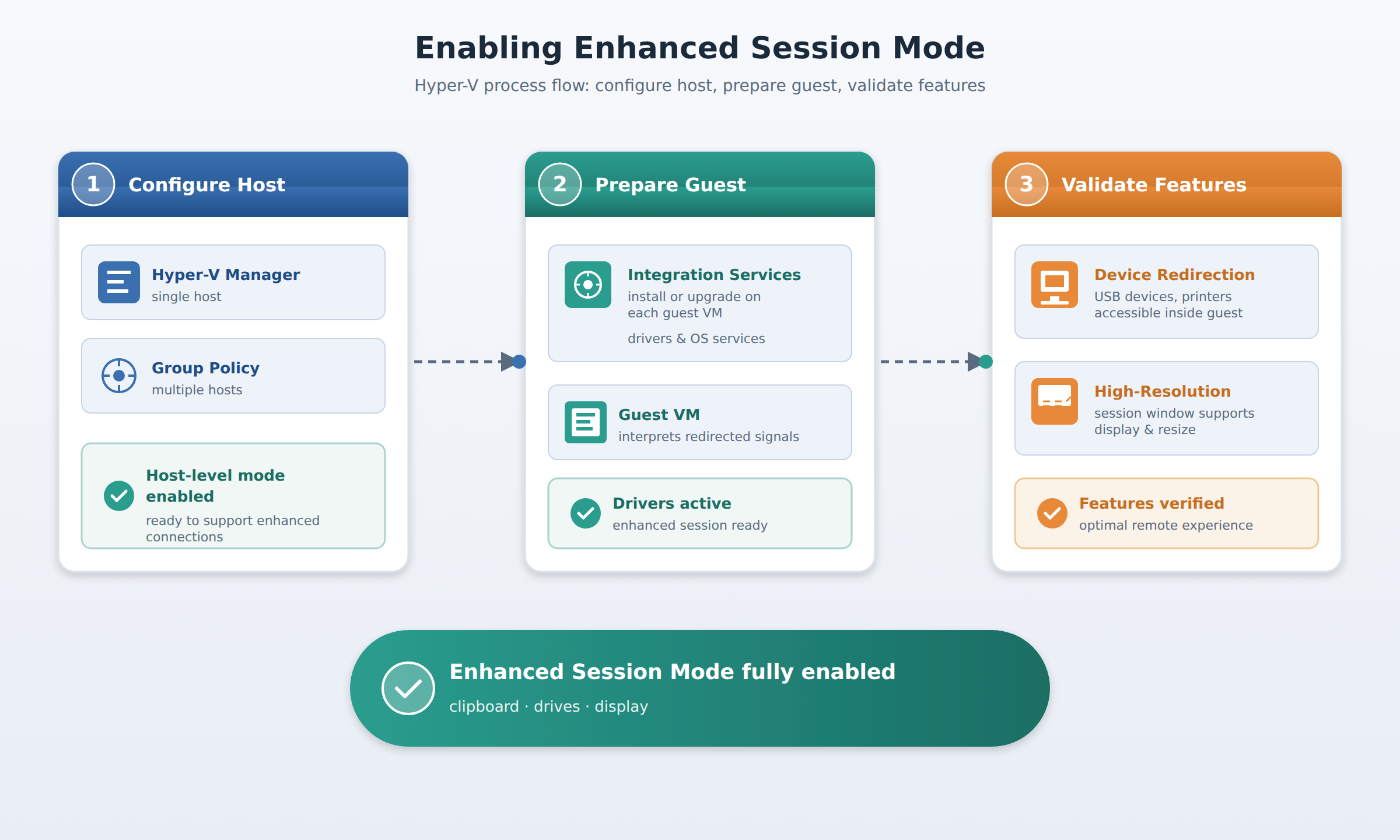
A three-step process flow showing how Enhanced Session Mode is enabled in Hyper-V: host configuration via Hyper-V Manager or Group Policy, guest preparation via Integration Services, and validation of device redirection and high-resolution display.
In the Domain
Configuring Enhanced Session Mode
To activate Enhanced Session Mode, you must first configure it on the physical host machine. Administrators can manage this setting on a single host using the Hyper-V Manager console by adjusting the host-level settings. If you need to deploy this configuration to multiple hosts at once, you can use Group Policy to enforce the setting consistently across your entire infrastructure. Once the host-level configuration is enabled, the host environment is ready to support enhanced connections, but the guest virtual machines must also be prepared to support them.
Domain 1 of 16
Enable Enhanced session mode
Read the Domain summaryPractice this Domain
1 practice question
Practice this DomainLast updated