Diagram
FSRM File Screening Evaluation Flow
Process Flow
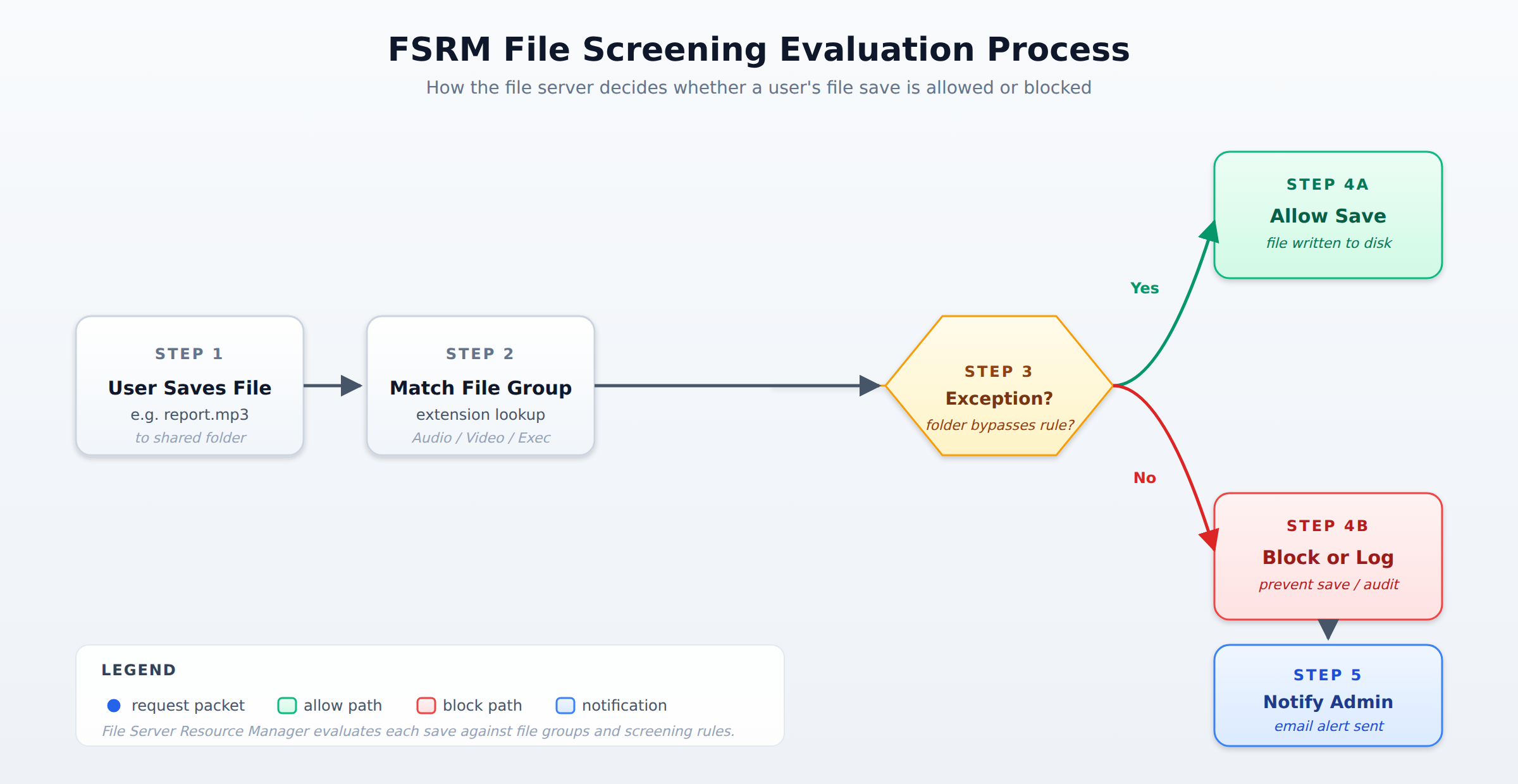
A horizontal process flow showing how FSRM evaluates a user file save request through file group matching, screening policy application, exception checking, and either allow or block with notification outcomes.
In the Domain
Implement File Screening Policies
File screening policies control which types of files users can save on the file server. Administrators create file groups that list file extensions, such as MP3, AVI, or EXE, and then set rules that either allow or block those groups. When a user tries to save a blocked file type, the server can either prevent the save entirely or simply log the attempt and notify the administrator.
File screening also supports exceptions, which are folders or files that bypass the screening rules. For example, a marketing team might need to store audio files for a project, so their folder could be marked as an exception to the MP3 block. The screening policy can send email notifications when blocked files are detected, helping administrators track unauthorized usage. This capability is important for organizations that need to comply with legal restrictions on file types or want to reduce security risks from executable files.
Domain 2 of 6
Configure file server resource manager
Read the Domain summaryPractice this Domain
1 practice question
Practice this DomainLast updated