Diagram
OAuth2 Permission Lifecycle: Define, Grant, Validate
Process Flow
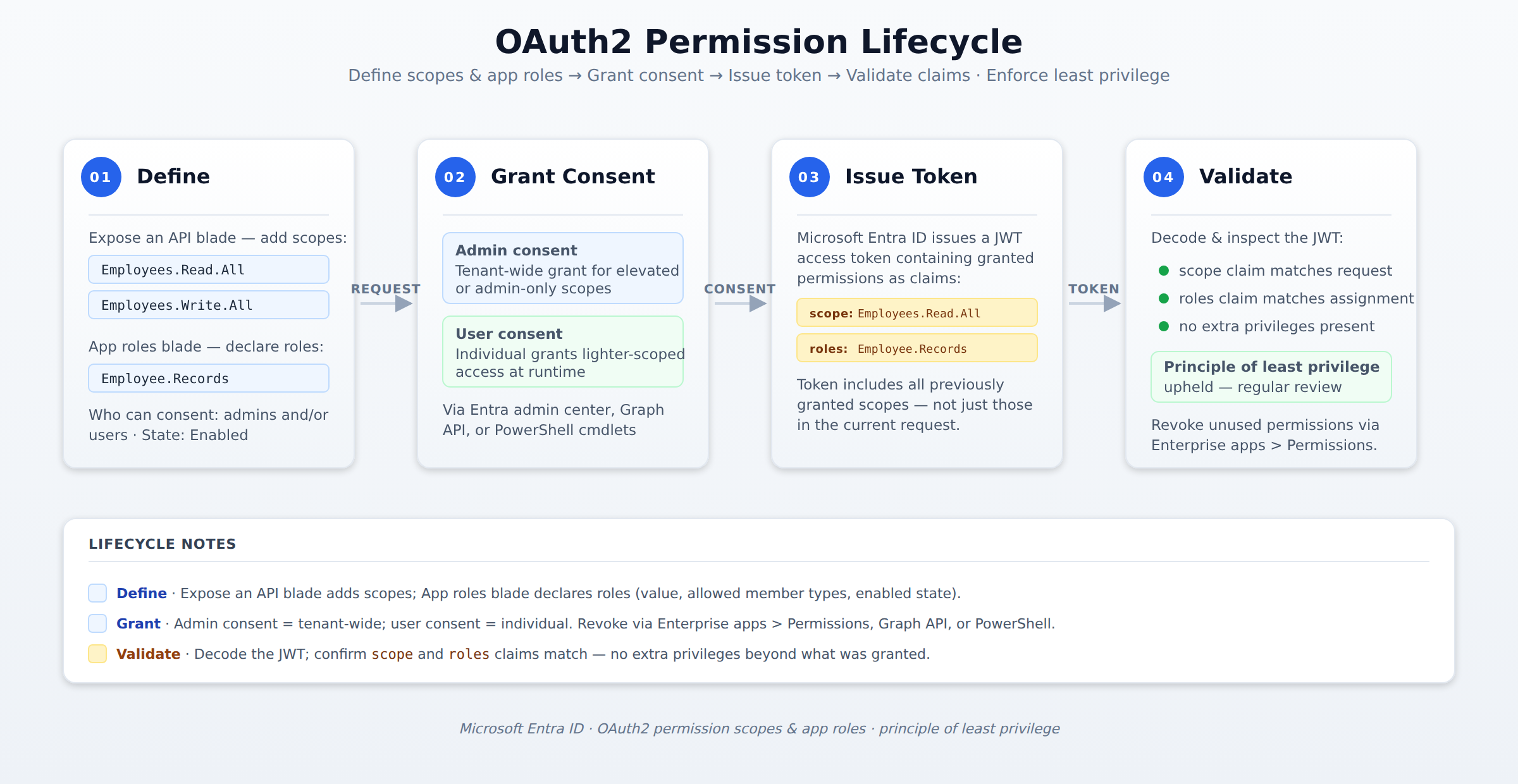
A horizontal process flow showing the four stages of an OAuth2 permission lifecycle in Microsoft Entra ID: defining scopes and app roles in an app registration, granting consent (admin or user), issuing an access token with scope and roles claims, and validating the JWT to enforce least privilege. A token packet animates left to right through each stage in sequence.
In the Domain
Define, Grant, and Validate OAuth2 Scopes and App Roles
In Azure AD, OAuth2 permission scopes and app roles enable fine-grained authorization for both user-delegated and application-level access. OAuth2 scopes represent specific API access rights that apps request on behalf of users, while app roles define role-based access control (RBAC) within an application and appear as roles claims in tokens. Applying the principle of least privilege ensures apps only receive the permissions they truly need.
You can define scopes and declare app roles in the application’s app registration manifest or in the Azure portal’s App registration settings. In the manifest, configure the requiredResourceAccess property for scopes and the appRoles array for roles. In the portal, use the Expose an API blade to add scopes and the App roles blade to create roles with a display name, value, description, allowed member types (Users, Applications, or both), and an enabled status.
Domain 3 of 6
Configure app registration permission scopes
Read the Domain summaryPractice this Domain
2 practice questions
Practice this DomainLast updated