Diagram
Storage Account Key Rotation Sequence
Process Flow
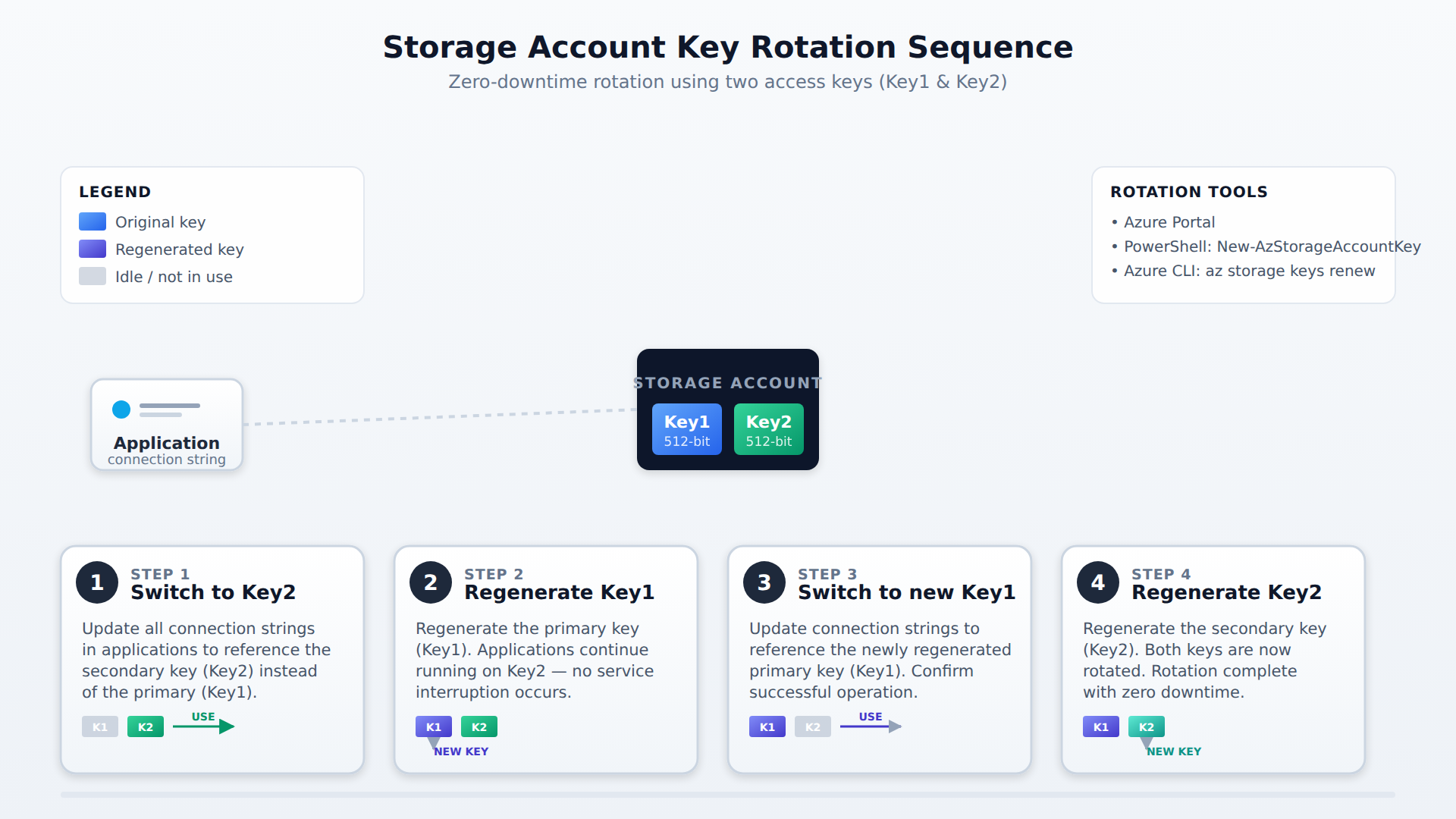
A four-step process flow showing how to rotate Azure storage account access keys without downtime by switching applications to Key2, regenerating Key1, switching back, and regenerating Key2.
In the Domain
Rotate and Regenerate Access Keys
To rotate keys safely, first update your applications to use Key2. Then, regenerate Key1. Next, update applications to use the new Key1. Finally, regenerate Key2. This sequence ensures continuous access. You can rotate keys via the Azure portal, PowerShell (New-AzStorageAccountKey), or Azure CLI. Only users with specific RBAC permissions, such as the Storage Account Key Operator Service Role, can perform this action.
Domain 1 of 3
Configure access to storage
Read the Domain summaryPractice this Domain
165 practice questions
Practice this DomainLast updated