Diagram
Snapshot Schedule Flow: Automate Disk Backups
Process Flow
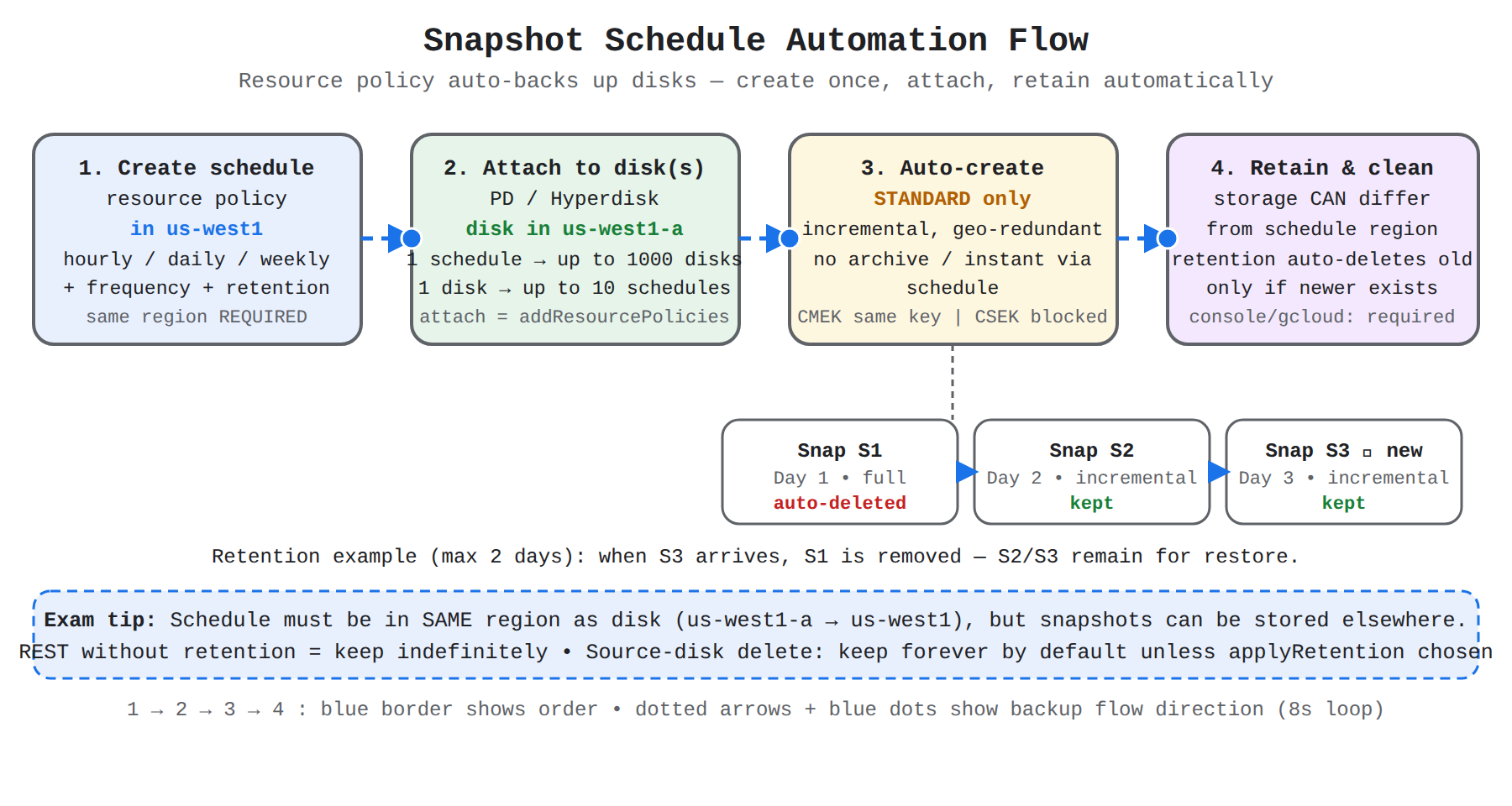
A four-step left-to-right flow showing a snapshot schedule resource policy attached to a disk to auto-create standard snapshots, stored separately and cleaned by retention.
In the Domain
How to Create and Attach a Snapshot Schedule
Creating and attaching a snapshot schedule links a regional resource policy to specific disks for automatic backup. The snapshot schedule must be created in the same region where the disk resides, for example a disk in zone us-west1-a requires a schedule in region us-west1. The snapshots generated by that schedule can still be stored in a different location from the schedule and disk.
There are two supported approaches:
- Create a snapshot schedule first and then attach it to one or more existing disks.
- Create a new disk with a snapshot schedule attached at creation time.
Domain 3 of 12
Working with snapshots and images (e.g., create, view, and delete images or snapshots; schedule a snapshot)
Read the Domain summaryPractice this Domain
24 practice questions
Practice this DomainLast updated