Intermediate
Prepare and test your skills

Intermediate
Prepare and test your skills
Event Alert Rules for GitHub Actions and Azure Pipelines
Event-based alerts enable proactive monitoring within a CI/CD environment. This setup allows teams to respond quickly to critical pipeline events, which keeps deployments reliable and efficient. Implementing these alerts bridges the gap between detecting an issue and resolving it.
Identifying Critical Events
Teams must first identify which pipeline behaviors require immediate attention. In both GitHub Actions and Azure Pipelines, critical events often involve job failures, long-running tasks, permission errors, or resource utilization limits. Detecting these issues early prevents broken code from reaching production environments and helps manage cloud costs.
Creating Alert Rules
To monitor these events, administrators configure alert rules using Azure Monitor or native pipeline settings. An alert rule relies on two main components:
- Event triggers, which specify the exact occurrences, such as a failed build, that start the alert process.
- Filters, which apply conditions or thresholds to determine if the event warrants an actual notification.
By combining these elements, the monitoring system only notifies engineers when a real intervention is necessary, which prevents alert fatigue.
Integrating Notification Channels
Once an alert triggers, the system must route the information to the correct response team. You can integrate notification channels such as email, webhooks, or Microsoft Teams to guarantee rapid communication. In GitHub Actions, teams secure these integrations by saving credentials as GitHub secrets, whereas Azure Pipelines uses built-in subscription settings to route alerts. This automation ensures that the alert moves instantly from the build environment to the communication tool.
Event-Based Alert Delivery Flow
Process Flow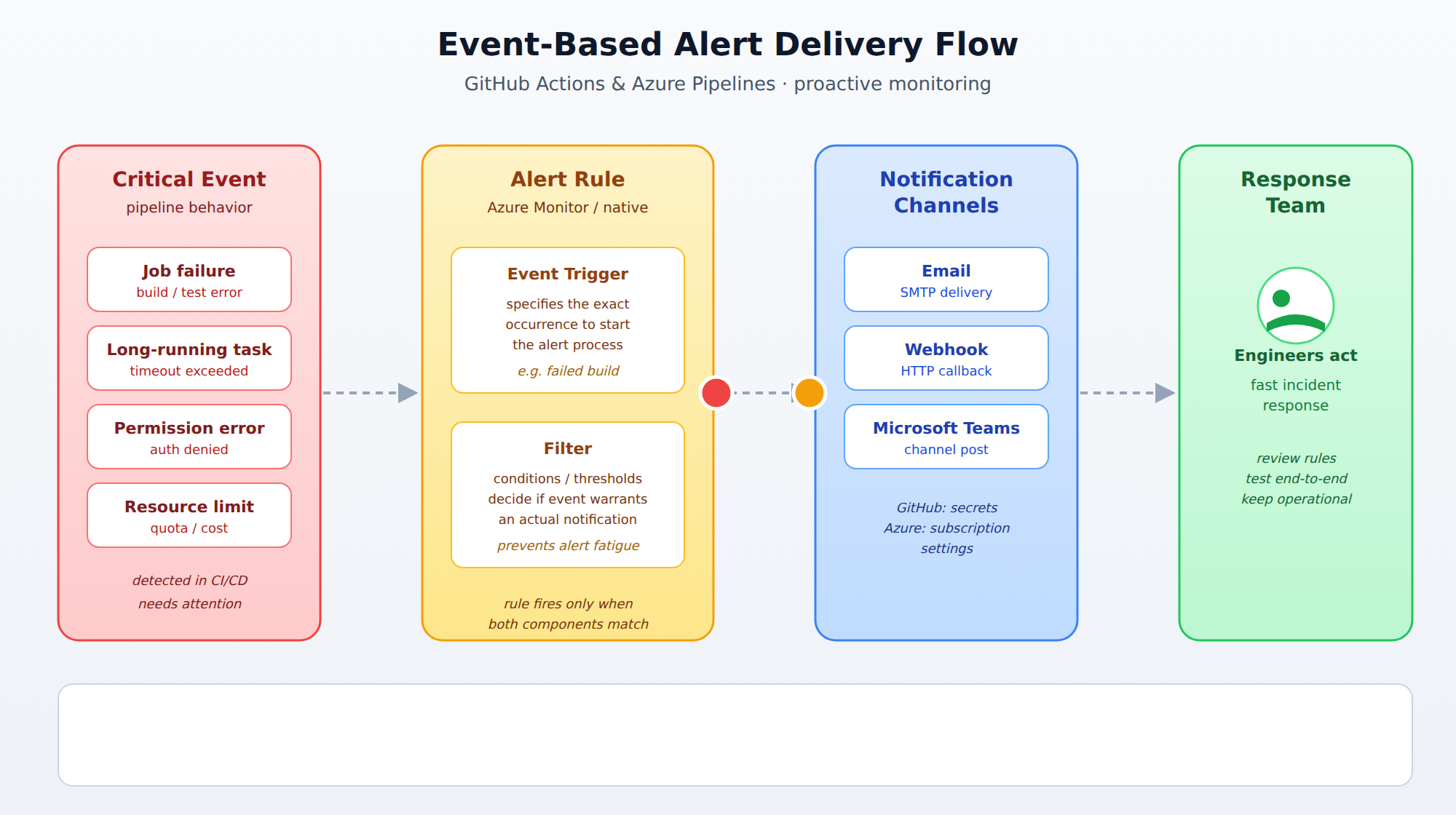
A horizontal process flow showing a critical pipeline event moving through an alert rule with event triggers and filters, then routing to notification channels like email, webhooks, and Microsoft Teams. Animated packets travel left to right along the connectors to show the direction of alert delivery.
Best Practices for Alerting
Maintaining an effective alert system requires ongoing updates and testing. Teams should periodically review their alert rules to match changing project needs and learn from past incidents. Regularly testing the end-to-end flow ensures that notifications successfully reach the destination channels when a real failure occurs. Keeping these notification channels operational is essential for maintaining a fast, reliable incident response lifecycle.
Frequently Asked Questions
What are the two main components of an alert rule used to monitor events in Azure Monitor or native pipeline settings?
An alert rule relies on event triggers, which specify the exact occurrences such as a failed build that start the alert process, and filters, which apply conditions or thresholds to determine if the event warrants an actual notification.
How do GitHub Actions and Azure Pipelines differ in securing integrations for notification channels?
In GitHub Actions, teams secure integrations by saving credentials as GitHub secrets, whereas Azure Pipelines uses built-in subscription settings to route alerts.
What are some best practices for maintaining an effective alert system for pipeline events?
Teams should periodically review their alert rules to match changing project needs and learn from past incidents, regularly test the end-to-end flow to ensure notifications reach destination channels when a real failure occurs, and keep notification channels operational for a fast, reliable incident response lifecycle.
What types of critical events should teams identify for proactive monitoring in GitHub Actions and Azure Pipelines?
Critical events often involve job failures, long-running tasks, permission errors, or resource utilization limits, which teams must identify to prevent broken code from reaching production environments and help manage cloud costs.
How learners score on this domain
Last updated