Expert
Prepare and test your skills

Expert
Prepare and test your skills
Migrating Databases to Azure with DMS
Azure Database Migration Service (DMS)
Azure Database Migration Service (DMS) is a fully managed service that coordinates moving databases from on-premises or other clouds to Azure with minimal downtime and end-to-end validation. It handles both homogeneous migrations (for example, SQL Server to Azure SQL Managed Instance) and heterogeneous migrations (such as Oracle to Azure SQL Database). By centralizing the migration tasks, DMS reduces risk and ensures that data integrity, performance alignment, and compatibility requirements are satisfied.
Choosing the Appropriate Target
To pick the right Azure destination, you must analyze the source database’s characteristics and map them to Azure PaaS offerings. Key factors include feature compatibility (instance-level features, cross-database queries, SQL Agent jobs), performance requirements (compute size, I/O throughput, service tier), and business continuity needs (built-in high availability, read scale-out). Based on this analysis, recommend Azure SQL Database for modern cloud-native apps or Azure SQL Managed Instance for lift-and-shift scenarios that need near-100% SQL Server compatibility.
Configuring DMS
Configuring DMS involves setting up a migration project and choosing between online and offline migration modes. The main steps are: provision a DMS instance in Azure and configure the Azure-SSIS Integration Runtime if needed; create a migration project in the Azure portal and select source and target connection endpoints; run the pre-migration assessment wizard to identify compatibility issues and validate schema mapping; then choose offline mode for simpler cutovers or online mode for continuous data replication to reduce downtime.
Azure DMS Migration Workflow, Step by Step
Process Flow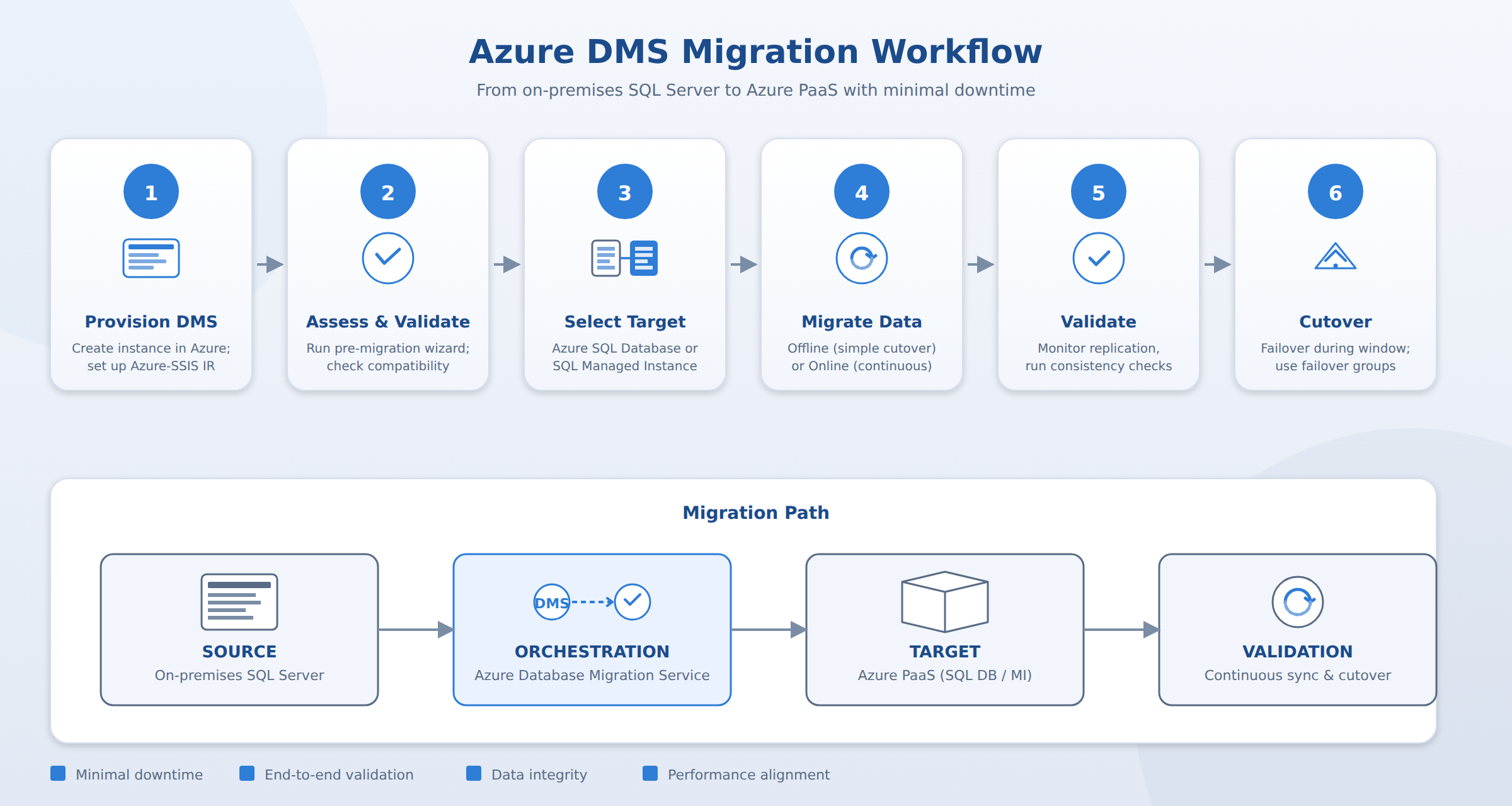
A six-step process flow showing the Azure Database Migration Service workflow from provisioning DMS through pre-migration assessment, target selection, online or offline migration, validation, and cutover. A pulse travels through the steps in order to convey the sequence.
Migration of Instance-Level Objects
DMS can orchestrate the migration of instance-level objects and extended features. You can include SQL Agent jobs (only T-SQL steps are supported—SSIS-based jobs must be scripted and redeployed), logins and groups (SQL logins are supported by default; enable Windows logins via Microsoft Entra ID access), SSIS packages (redeploy from SSISDB to Azure-SSIS runtime), and SSRS reports (convert to Power BI paginated reports using the RDL Migration Tool).
Validation and Cutover
After the initial data load, DMS continuously applies transaction log or differential backups in online mode and tracks progress in the Azure portal. Key validation and cutover tasks include monitoring replication status and error logs, running data consistency checks and final schema comparison, executing a controlled failover or cutover during a maintenance window, and leveraging failover groups for cross-region replication to ensure high availability and disaster recovery. This approach ensures that database migrations align with the enterprise standards of minimal downtime, data integrity, and performance alignment.
Frequently Asked Questions
When should Azure SQL Database be chosen over Azure SQL Managed Instance as a migration target?
Azure SQL Database is recommended for modern cloud-native applications, whereas Azure SQL Managed Instance is recommended for lift-and-shift scenarios requiring near-100% SQL Server compatibility. The target selection is determined by evaluating feature compatibility, performance requirements, and business continuity needs.
What is the difference between online and offline migration modes in Azure Database Migration Service (DMS)?
Offline migration mode is used for simpler cutovers, while online migration mode provides continuous data replication to reduce downtime. In online mode, the service continuously applies transaction log or differential backups after the initial data load until cutover occurs.
How are instance-level objects such as SQL Agent jobs, logins, and SSIS packages handled during an Azure Database Migration Service (DMS) migration?
SQL Agent jobs migrate only T-SQL steps directly, requiring SSIS-based jobs to be scripted and redeployed. SQL logins are supported by default while Windows logins require Microsoft Entra ID access, and SSIS packages must be redeployed from SSISDB to the Azure-SSIS integration runtime.
How learners score on this domain
Last updated