Eager to master hybrid server management? Discover how to administer Windows Server Hybrid Core Infrastructure on Azure, setting your path towards the Microsoft Certified: Azure Hybrid Infrastructure Administrator Associate certification!
Prepare and test your skills

Prepare and test your skills
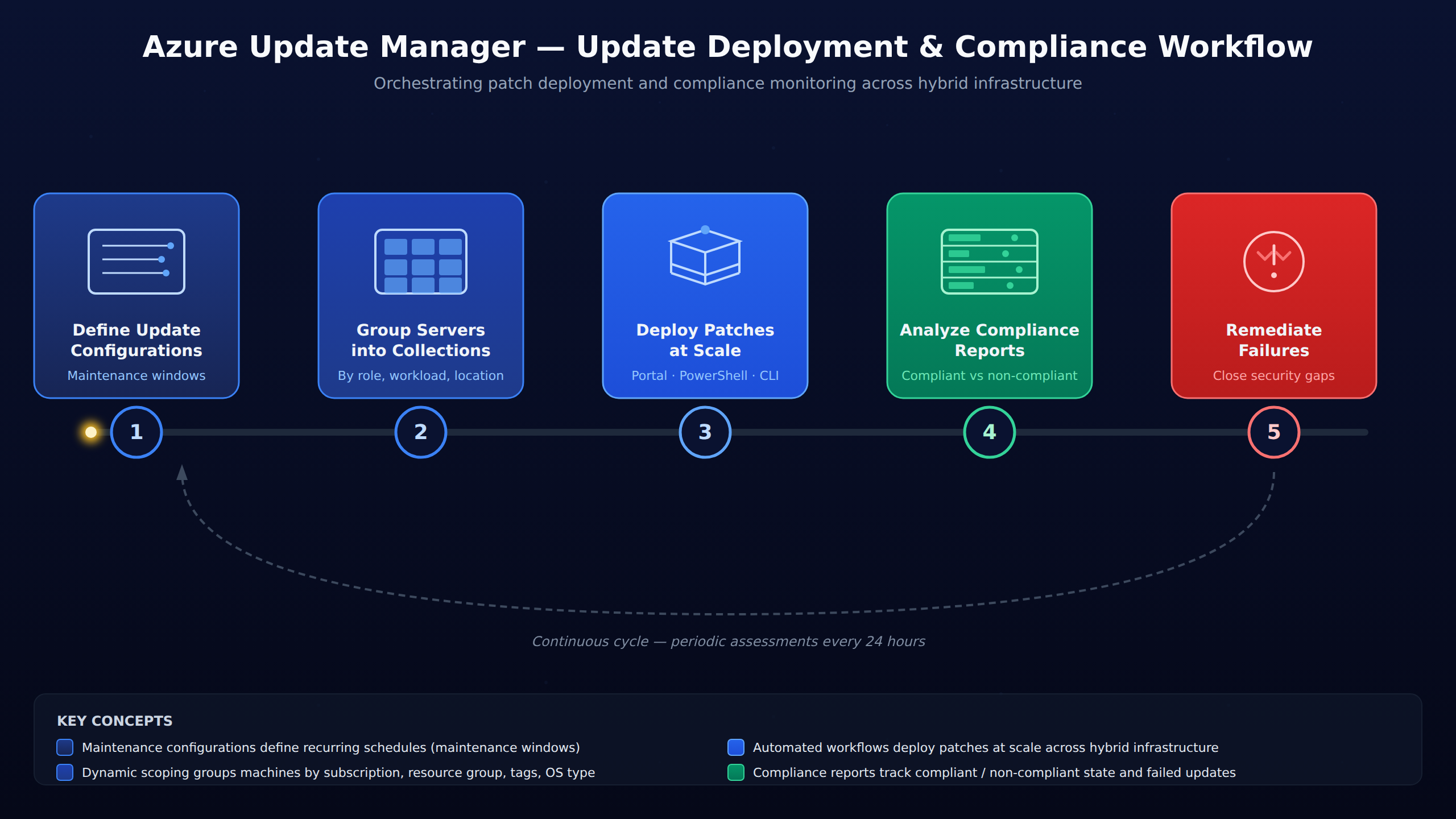
A five-step horizontal process flow showing how Azure Update Manager orchestrates updates: define maintenance configurations, group servers into collections, deploy patches at scale, generate compliance reports, and remediate failures.
Azure Update Manager is a unified management service used to configure, deploy, and monitor Windows Server updates across hybrid environments. It acts as a centralized control plane to ensure both Azure virtual machines and on-premises servers remain secure by orchestrating update workflows and automating patch remediation.
Maintenance configurations in Azure establish recurring schedules known as maintenance windows, which ensure that systems only update during pre-approved times. Administrators can choose maintenance windows that align with low-traffic hours, set update schedules for virtual machine scale sets and guest virtual machines, and transition updates to a deferred state during critical business periods.
Azure Update Manager allows you to group servers into collections based on their roles, workloads, or physical locations. Once a collection is defined, you can assign a single maintenance configuration to the entire group, ensuring consistent rules and policies apply automatically to all member servers.
Compliance reports track whether machines are in a compliant or non-compliant state and identify any updates that failed to install. Administrators can use these reports to detect failed updates and plan remediation actions to secure affected systems, ensuring security gaps are closed shortly after discovery.
Azure Update Manager is a unified management service used to configure, deploy, and monitor Windows Server updates across hybrid environments. It acts as a centralized control plane to ensure that both Azure virtual machines and on-premises servers remain secure. By orchestrating update workflows, administrators can automate patch remediation without causing unexpected business disruptions.
To control when updates are applied, administrators create maintenance configurations in Azure. These configurations establish recurring schedules, known as maintenance windows, which ensure that systems only update during pre-approved times. Within these configurations, administrators can perform the following actions:
Managing updates server-by-server becomes impractical in large environments, so Azure Update Manager allows you to group servers into collections. These collections organize virtual machines based on their specific roles, workloads, or physical locations. Once a collection is defined, you can assign a single maintenance configuration to the entire group at once. This logical grouping ensures that consistent rules and policies apply to all member servers automatically.
Applying updates across hundreds of servers is simplified through automated workflows that deploy patches at scale. Administrators can initiate and manage these large-scale deployments using the Azure portal, PowerShell, or the Azure CLI. By automating the patching sequence, the system reduces the need for manual intervention and lowers the risk of human error. This scalable approach ensures that security patches are distributed uniformly across the entire hybrid infrastructure.
After deployment, the system generates detailed compliance reports to help administrators monitor the health of their servers. These reports track whether machines are in a compliant or non-compliant state and identify any updates that failed to install. Once a failed update is detected, administrators can quickly plan and execute remediation actions to secure the affected systems. Monitoring these reports continuously ensures that security gaps are closed shortly after they are discovered.
 StudyCerts
 StudyCerts